[Teacher App] – Guide to writing an activity log
Role: Teacher
Notes:
- The primary teacher can post activities directly to the class.
- Activities posted by assistant teachers must be approved by the class’s primary teacher or an administrator before being displayed and sent to parents.
To write an activity log for children, teachers can follow these steps:
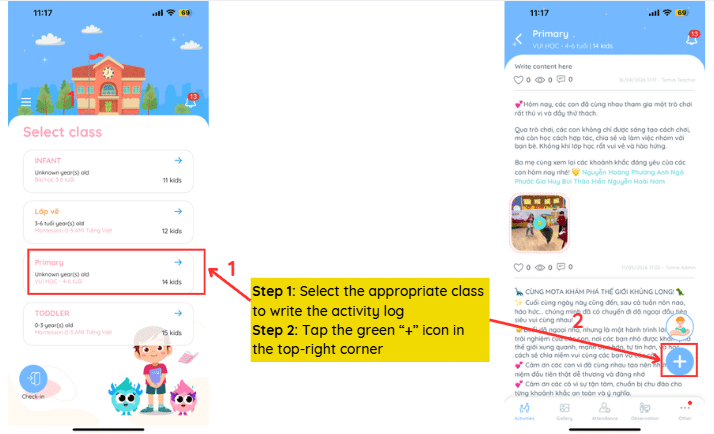
Step 1: Select the appropriate class to write the activity log
Step 2: Tap the green “+” icon in the top-right corner
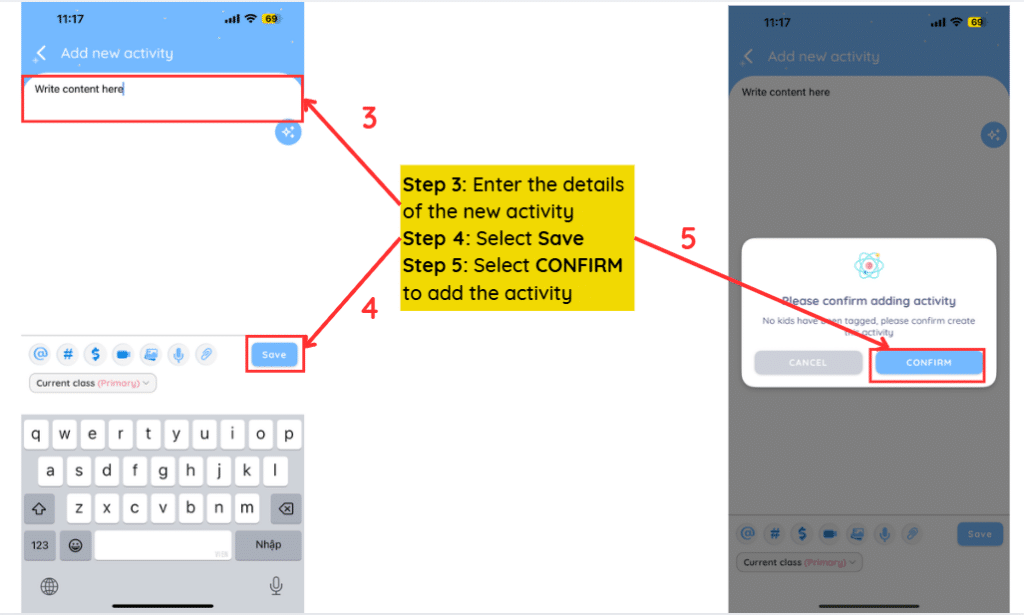
Step 3: Enter the details of the new activity
Step 4: Select Save
Step 5: Select CONFIRM to add the activity
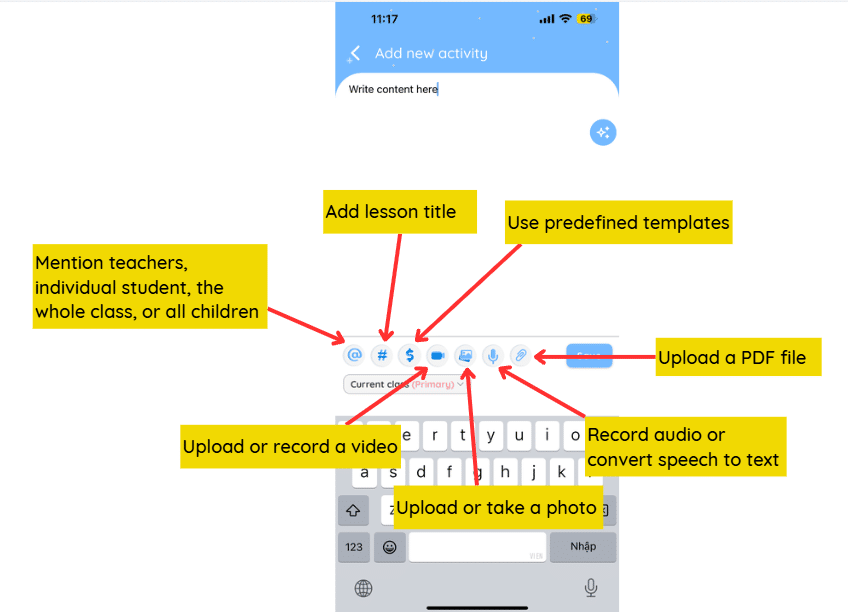
Meaning of the icons on the toolbar:
Notes:
- Only parents of students who are mentioned by name can view the activity
- This class: All children on the class list will receive the notification
- Attended kids: The names of all children who have been taken attendance in the day
- A maximum of 20 images and 5 videos can be uploaded for each activity post.